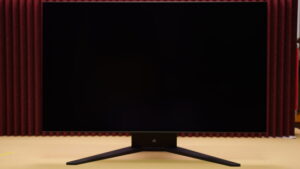
Sony's gaming brand INZONE presents its flagship model, the INZONE M10S II (SDM-27Q102) — a dual-mode OLED monitor capable of 540Hz at WQHD and a staggering 720Hz at HD resolution.
Developed in collaboration with pro esports organization Fnatic, the M10S II is built with a clear focus on competitive FPS gaming. It also brings meaningful upgrades over its predecessor, the INZONE M10S, including a higher refresh rate ceiling — making it a serious contender for PC gamers who demand a true competitive-grade setup.
In this review, we'll walk through the M10S II's standout features, what it does well, and where it falls short.
Contents
- 1 Specs Overview
- 2 Pros
- 2.1 540Hz at WQHD — Buttery Smooth Without Sacrificing Resolution
- 2.2 720Hz in HD Mode for the Most Demanding Competitive Players
- 2.3 0.02ms Response Time — Faster Than Any OLED Before It
- 2.4 Super Anti-Glare Film Cuts Reflections More Aggressively Than Standard Coatings
- 2.5 Per-Unit Factory Color Calibration Report Included
- 2.6 Wide Stand Adjustability Makes Ergonomic Setup Easy
- 2.7 FPS-Focused Presets and a Built-In 24.5-Inch Mode
- 3 Cons
- 4 Who It's For
- 5 Who Should Skip It
- 6 Final Verdict
Specs Overview
| Specification | Details |
|---|---|
| Size | 27 inches |
| Form Factor | Flat |
| Panel | OLED |
| Resolution / Hz | QHD / DisplayPort: 540Hz, HDMI: 480Hz HD / 720Hz |
| Response Time | 0.02 ms (GTG) |
| Color Gamut | 99.5% DCI-P3 coverage |
| Brightness | 1500 cd/m² (HDR / 3% window) |
| Contrast Ratio | 1,500,000:1 (static) |
| HDR | Supported |
| Ports | DisplayPort x1 (Ver. 2.1 UHBR13.5) HDMI x2 (Ver. 2.1) USB Type-B x1 (upstream) USB Type-A x2 (downstream) Headphone output x1 (3.5 mm) |
| Speakers | No |
| Stand Adjustments | Height: 120 mm Tilt: -5° to +35° Swivel: ±180° Pivot: Not supported |
| VRR | NVIDIA G-Sync Compatible HDMI 2.1 VRR |
Pros
540Hz at WQHD — Buttery Smooth Without Sacrificing Resolution
The M10S II pushes 540Hz even in WQHD mode, which is a genuinely rare combination. That pairing means you get sharper, easier-to-read text and a more spacious desktop during everyday work, full image quality for single-player or visually-driven games, and a serious competitive edge in fast-paced titles — all from the same screen. As of May 2026, 540Hz is the highest refresh rate available on any WQHD monitor, making this the top of the class. For most players, 540Hz will feel like more than enough — though HD mode does push things even further.
720Hz in HD Mode for the Most Demanding Competitive Players
If 540Hz isn't enough, switching to HD mode unlocks 720Hz — a refresh rate that sounds almost absurd, but genuinely matters in titles like CS2, VALORANT, and aim trainers like KovaaK's. If lightweight competitive shooters are your main focus, this extra headroom could give you a real edge.
0.02ms Response Time — Faster Than Any OLED Before It
OLED panels have always been fast, with most sitting at 0.03ms (GTG). The M10S II pushes that even further to 0.02ms (GTG), meaning input lag is shaved down to an almost imperceptible level. If you're chasing every possible millisecond of responsiveness, this monitor delivers.
Super Anti-Glare Film Cuts Reflections More Aggressively Than Standard Coatings
The M10S II uses a "Super Anti-Glare Film" that goes further than a typical matte coating. It significantly reduces reflections and glare, keeping your focus on what's on screen rather than what's behind you. It's a subtle but meaningful upgrade for anyone gaming in a bright room.
Per-Unit Factory Color Calibration Report Included
Every M10S II ships with an individual Color Calibration Factory Report, so you can verify the color accuracy of your exact unit right out of the box. Combined with a DCI-P3 coverage of 99.5%, this makes the monitor a credible option not just for gaming, but for creative and graphics work as well. Knowing your panel has been individually validated before it ships is a level of quality assurance you don't always get at this price range.
Wide Stand Adjustability Makes Ergonomic Setup Easy
The stand offers 120mm of height adjustment, -5° to +35° tilt, and ±180° swivel — a generous range that makes it easy to dial in a comfortable viewing position without needing a monitor arm. Unless you specifically want to free up desk space or use the monitor in portrait orientation, the built-in stand should cover most people's needs.
FPS-Focused Presets and a Built-In 24.5-Inch Mode
The Fnatic co-developed "FPS Pro+ preset" is available right from the OSD, giving anyone an optimized picture profile for competitive shooters with zero setup required. The M10S II also includes a 24.5-inch mode that virtually shrinks the display to simulate a 24-inch monitor. In FPS games, your eyes constantly shift between the center of the screen — where enemies appear — and the edges, where kill feeds, skill cooldowns, HP bars, and minimaps live. A smaller virtual screen reduces that travel distance, which can help you react faster and reduce eye fatigue over long sessions. You get the full 27-inch experience when you want it, and a tighter competitive layout when you need it.
Cons
No Built-In Speakers — You'll Need External Audio
The M10S II has no speakers. You'll need headphones or external speakers for audio output during gaming. Not a dealbreaker for most competitive players, but worth knowing upfront.
720Hz Is Only Achievable in Very Specific Setups
The "DFR" feature that enables 720Hz requires a GPU with DisplayPort 2.1 (UHBR13.5) support. As of May 2026, consistently hitting 720fps in actual games is realistically limited to high-end rigs running an RTX 5090 or 5080. On top of that, 720Hz mode drops resolution to HD (1280×720) — well below Full HD — so if visual quality matters to you, that trade-off may not be worth it. Even in HD, hitting 720fps in-game takes serious hardware, so don't assume this feature is plug-and-play.
Motion Blur Reduction Caps Refresh Rate at 270Hz
Enabling the Motion Blur Reduction (MBR) feature — which uses backlight strobing to sharpen motion — drops the refresh rate down to 270Hz. That means you can't use MBR and take full advantage of the 540Hz panel at the same time. It's a meaningful trade-off to be aware of before making your purchase.
The High Refresh Rate Is Wasted on PS5
The PS5 supports HDMI 2.1, but its refresh rate tops out at 120Hz. The M10S II's 540Hz and 720Hz capabilities simply don't apply to console use. If you're primarily a PS5 player, most of what makes this monitor special will go unused. This is fundamentally a PC gaming monitor built for high-end rigs.
No USB-C Support
While the M10S II does include USB hub functionality, there's no USB-C port. If you were hoping to connect a laptop with a single cable, you're out of luck here.
Who It's For
- PC gamers who are serious about competitive FPS and want the best possible setup
- Players currently on a 240Hz–480Hz monitor who are ready to step up to the next level
- Gamers who want blazing-fast refresh rates for competitive play without giving up WQHD for everyday use
Who Should Skip It
- Console players — PS5 maxes out at 120Hz, so the high refresh rates go to waste
- Anyone who prioritizes 4K gaming or high-resolution video content
- Casual gamers who mainly play RPGs, adventures, or other slower-paced genres — 540Hz and 720Hz are extreme overkill
- Users who need USB-C connectivity
Final Verdict
The INZONE M10S II is Sony's most focused competitive gaming monitor yet — combining WQHD resolution, 540Hz refresh rate, and an ultra-fast 0.02ms OLED panel into a single package that sets a new bar for PC-focused FPS monitors. But it's not just about raw specs: the Super Anti-Glare Film, 24-inch mode, USB hub, wide-range stand, and per-unit color calibration report show that Sony also paid attention to real-world usability.
It's not a cheap monitor, but for players who take competitive FPS seriously — or anyone chasing the highest possible refresh rate experience on PC — the M10S II is a genuinely compelling option. Just make sure your GPU and game library can actually take advantage of what it offers before pulling the trigger.